
Prepware General FAA Tests
Aviation Supplies & AcademicsEducation
4.1187.00 Reviews
- Version
- 1.38.0
- Installs
- 50.00K
- Age Rating
- Everyone
Screenshots
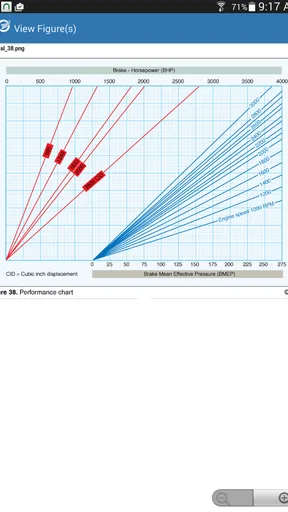
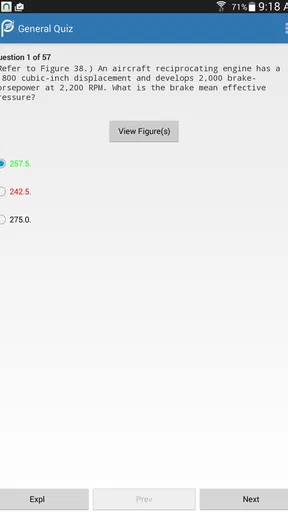
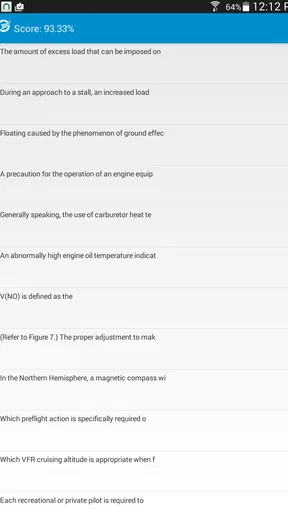
Our Review of Prepware General FAA Tests
 Analysis by Appyee
When I’m choosing a study app for an aviation exam, I want more than a large question bank: I need a way to practise, spot weak areas, and turn wrong answers into useful study time. Prepware General is aimed at that focused job. It is an education app from Aviation Supplies & Academics, and its approach suits learners who want exam preparation close at hand rather than a broad aviation reference or a general-purpose study planner.
The key decision is whether you learn well through repeated questions and reviewing your answers. If you do, this format can help you build familiarity and identify topics that need another pass. If you mainly need lessons that explain aviation concepts from the ground up, you may prefer a textbook, instructor-led course, or another resource that teaches concepts in depth. I see the app as a study companion, not a replacement for understanding the material.
Who benefits most from a question-led routine
I’d consider it especially useful for a student who already has course notes or class instruction and wants a practical way to check recall between study sessions. A short session while waiting for a lesson to begin, for example, can reveal whether regulations or aerodynamics deserve more attention that evening. The point is not to squeeze in a full study plan at every opportunity; it is to make those small gaps in the day more purposeful.
It can also help someone who feels uncertain about how to organize revision. Rather than rereading everything from the beginning, use practice to find the areas that are least secure, then return to your reference material for a careful explanation. That order makes the app more valuable: questions diagnose, while your course materials provide the depth needed to understand why an answer is right.
On the other hand, I would not choose a question bank as my only resource if I were encountering the subject for the first time. Memorizing answer patterns can feel like progress while leaving gaps in the underlying knowledge. The stronger approach is to use practice to test what you know, not to let repeated guessing stand in for learning.
First Impressions and User Interface
When you first open Prepware General, you're greeted with a sleek, no-nonsense interface. It’s like stepping into a well-organized cockpit—everything you need is right there, easy to find. I appreciated how intuitive the navigation was; even if you're not the most tech-savvy, you’ll find your way around without any turbulence.
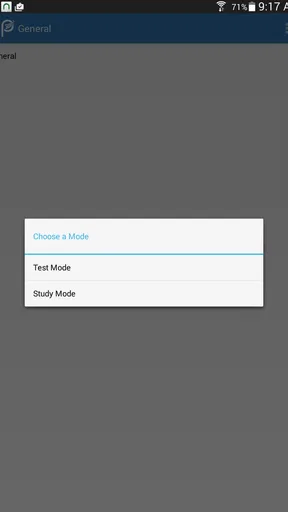
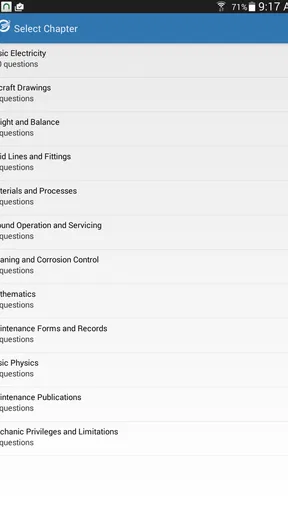
The main menu lays out all the essential features. You’ve got your practice exams, study sessions, and progress tracking, all neatly organized. It’s like having a flight plan right at your fingertips. The design is clean and functional, which is exactly what you need when you're focused on nailing those exams.
Diving into the Features
Now, let’s talk features. The practice exams are the heart of the app. They’re designed to mimic the actual tests, so you know exactly what to expect. I found the variety of questions to be pretty comprehensive; it covers a wide range of topics that you’ll encounter in the real deal. It’s like having a personal tutor guiding you through every step.
The study sessions are another highlight. You can customize these to focus on areas where you need a bit more lift. Whether it’s aerodynamics or regulations, you can tailor your study to suit your needs. It’s a flexible approach that really helps reinforce your learning.
Tracking Your Progress
One of the standout features for me was the progress tracking. The app gives you detailed insights into how you’re doing, showing you where you’re soaring and where you might need a bit more thrust. It’s motivating to see your improvement over time, and it helps keep you on course.
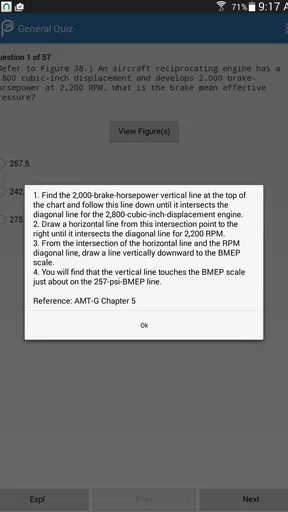
Also, there’s a handy feature that lets you review past exams. You can dive deep into your answers, see explanations, and really understand the material. It’s like having a debrief after each test, ensuring you learn from every mistake.
A practical way to use each session
I’d avoid treating every practice run as a score challenge. After a session, review the missed questions and sort them mentally into two groups: facts you simply need to recall, and concepts you do not yet understand. For the first group, a later short review may be enough. For the second, pause the question practice and consult a trusted book, class note, or instructor before trying again.
That distinction matters because a correct answer is not always evidence of solid understanding; it may have been a lucky choice. When you review an answer, explain to yourself why it works and why the tempting alternatives do not. If you cannot do that in your own words, mark the topic for follow-up rather than counting the question as mastered.
A realistic routine might be a brief study session during a commute break or between other commitments, followed later by a quieter block for the topics that caused trouble. I would keep those sessions purposeful instead of chasing a long streak of questions. Short, attentive practice gives you a clearer picture of what needs work than rushing through a large batch while distracted.
Where it fits among study alternatives
Compared with a printed question resource, an app is easier to reach when you have a spare moment, and the progress view can make revision feel more directed. A book, however, may be more comfortable for extended reading, note-taking, and tracing a difficult explanation across a chapter. I would not see those choices as rivals: the app is convenient for active recall, while books and course materials are valuable for building context.
Compared with broad aviation learning apps or online courses, this is the more exam-focused kind of tool. A course may be a better fit when you need structured teaching, demonstrations, or a guided sequence from basic ideas to more advanced ones. A general reference may be preferable when your goal is to look up information beyond exam preparation. Choose based on the gap you are trying to fill, rather than expecting one resource to do every job.
For a learner already attending instruction, the most useful combination is often a cycle: study a topic in class or in a reference, practise questions, inspect mistakes, then revisit the unclear material. This keeps the app in its best role—as a way to check and reinforce learning—without mistaking test familiarity for complete preparation.
Cost, compatibility, and expectations
The app costs $4.99, so I’d think of the purchase as paying for a focused study aid rather than a complete course. It has a 4.1 average from around 600 ratings, and more than 50,000 installs. Those figures suggest that it has found an audience, but they do not tell me whether its particular study style suits you; the more important question is whether you will use question-based practice consistently.
It is rated for Everyone, and the current version is 1.37.2. Its listed minimum operating system is 5.1, so it is worth checking that your device meets that requirement before planning to rely on it. Since this is exam preparation, I’d also make sure the material you use aligns with the exam you are actually taking and keep your primary course resources nearby for anything that needs fuller explanation.
Switching from a book or another study method does not mean abandoning it. You can bring the app into your routine for quick practice while keeping notes and references for detailed study. If you have already built a solid system that identifies weak subjects and helps you revisit them, there may be little reason to replace it wholesale. Try the app as a supplement and judge whether its question-and-review cycle adds something you were missing.
Overall Experience
Using it feels like having a seasoned pilot by your side, guiding you through the intricacies of aviation exams. The app is reliable, straightforward, and packed with all the tools you need to prepare effectively. It doesn’t overwhelm you with unnecessary bells and whistles, which I found refreshing.
In terms of performance, the app runs smoothly without any hiccups. Whether you’re on Android or iOS, it offers a seamless experience. The developers have clearly put a lot of thought into making it user-friendly and efficient.
My recommendation for the right learner
I’d recommend Prepware General to someone who wants a direct, question-based way to practise for an FAA knowledge exam and is willing to review mistakes rather than just chase a high score. It makes particular sense if you already have instruction or reference material and want a portable way to check what has stuck.
I’d skip it, or at least avoid making it my main resource, if I needed a full teaching course, extensive conceptual explanations, or a broader aviation reference. In those cases, a qualified instructor, structured lessons, and detailed study materials are a better starting point. Even a good practice tool cannot decide for you whether you truly understand a subject; that part takes deliberate review.
Final Thoughts
If you’re serious about acing your aviation exams, Prepware General is a solid co-pilot. It’s comprehensive, user-friendly, and offers valuable insights into your progress. So, why not give it a shot? It might just be the tool you need to fly through your exams with confidence.
Ready for takeoff? You can find the download links for both Android and iOS on our website. Safe flying, and happy studying!
Verdict
Strengths of Prepware General FAA Tests
- Comprehensive question database.
- User-friendly interface design.
- Regular content updates.
- Available offline mode.
- Covers multiple aviation topics.
Limitations of Prepware General FAA Tests
- No interactive learning features.
- Limited customization options.
- Occasional app crashes reported.
- Requires payment for full access.
- Limited to English language only.
Other Releases by Aviation Supplies & Academics
View All
Prepware Powerplant FAA Tests
Education3.7

FAR/AIM by ASA
Education3.8

Prepware Remote Pilot UAS
Education4.3

Prepware Private Pilot
Education3.8
Similar Picks in This Category
View All
Duolingo: Language Lessons
Duolingo4.7

Google Classroom
Google LLC2.8

Unacademy: Learn & Crack Exams
Unacademy3.2

Bible App for Kids
Life.Church4.4

Cake - Learn English & Korean
Cake Corp.4.7

Brainly: AI Homework Helper
Brainly4.5
Frequently Asked Questions
What is Prepware General and what does it offer?
Prepware General is an educational application designed to help users prepare for aviation-related exams. It provides comprehensive study materials, practice tests, and detailed explanations of answers. The app is tailored for both beginners and advanced users, offering a robust platform to enhance their knowledge and test-taking skills.
Is the content in Prepware General up-to-date with the latest regulations?
Yes, Prepware General ensures that all content is regularly updated to align with the latest aviation regulations and standards. The app collaborates with industry experts to keep its study materials current, ensuring users have access to the most relevant and accurate information available.
Can Prepware General be used offline, or does it require an internet connection?
Prepware General can be used offline once the content is downloaded, making it convenient for users to study anytime and anywhere. However, an internet connection is necessary for initial downloads and for receiving updates to ensure all study materials remain up-to-date.
How user-friendly is the interface of Prepware General?
The app features a user-friendly interface designed with intuitive navigation, making it accessible for users of all technical abilities. With clear menus and organized content, users can easily find the resources they need, track their progress, and customize their study sessions to fit their learning style.
Does Prepware General offer any support or resources for users who have questions?
Yes, Prepware General provides extensive support through its help section, which includes FAQs, tutorials, and contact options for customer support. Users can also find forums and discussion boards within the app to connect with other learners and experts to share insights and resolve queries.
